01
Choose the source job
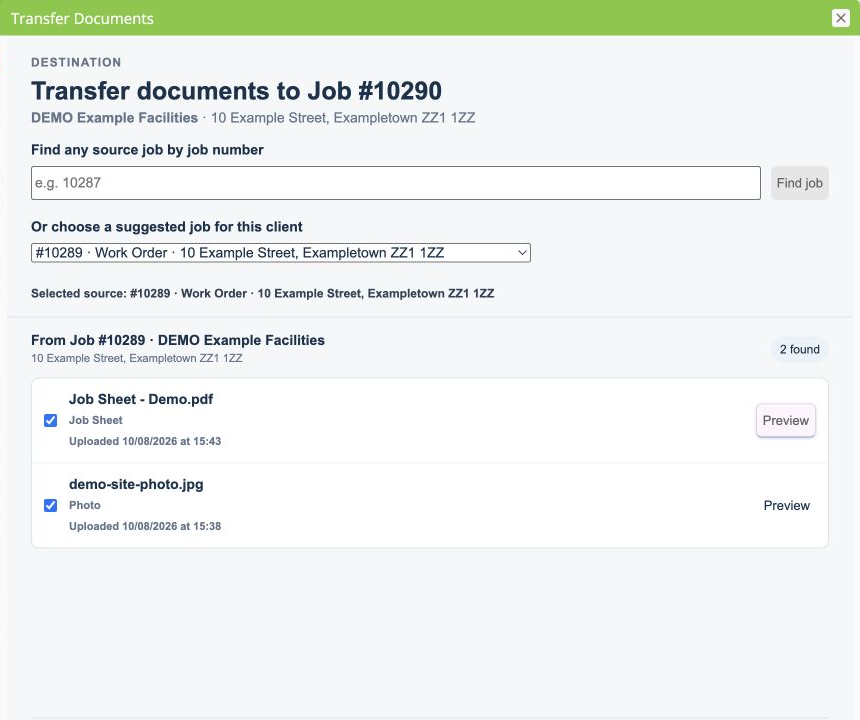
Open the destination Job Card, then select a suggested related job or find one by its exact job number.
ServiceM8 Online Dashboard add-on
Copy selected job photos and generated Job Sheet PDFs to another job without downloading and uploading every file by hand.

How it works
Nothing is copied until the user chooses the files and confirms the action.
Open the destination Job Card, then select a suggested related job or find one by its exact job number.
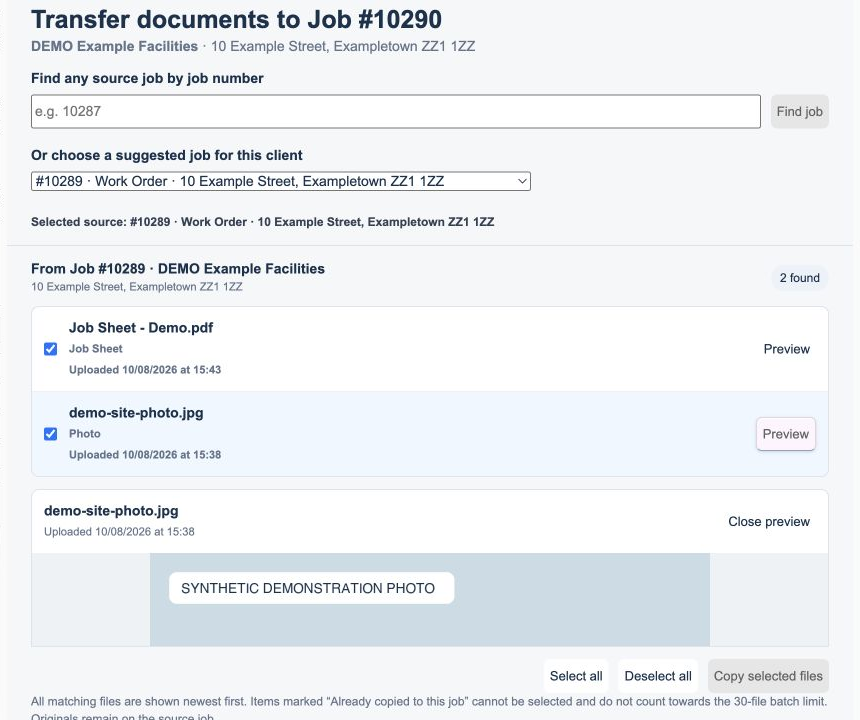
Review supported photos and Job Sheet PDFs before selecting what needs to be copied.
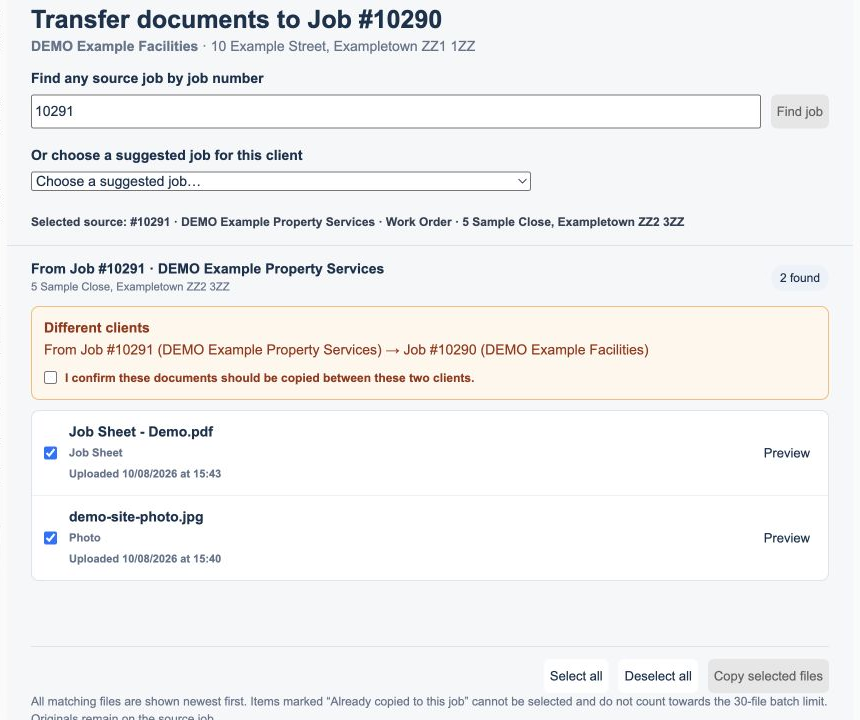
When jobs belong to different clients, both client names are shown and explicit confirmation is required.
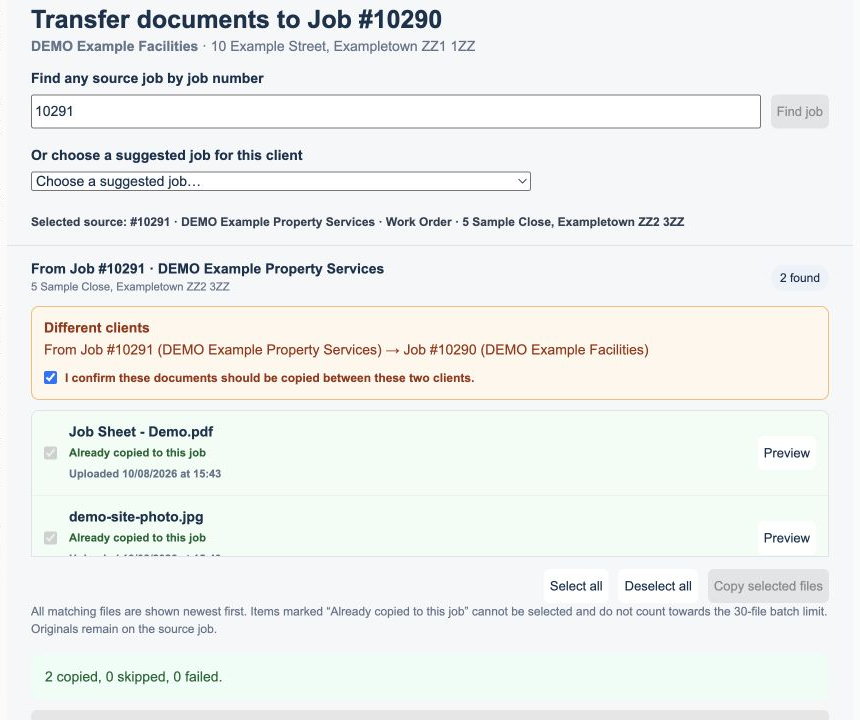
The originals remain in place, duplicate copies are blocked, and a short transfer summary is added to the destination Job Diary.
Inside the add-on
Designed with boundaries
Job Document Transfer operates only when an authorised user opens it from a Job Card and requests a copy. It uses the ServiceM8 permissions approved for the add-on and respects the invoking staff member's access.
Need a hand?
The dedicated guide covers activation, file selection, limits, confirmations, duplicate protection and removal.